Categories:
For BBX Members
BBX Accounts
Here is an explanation of ‘How To’ process BBX transactions, via the BBX trading portal – just follow the steps as detailed below.
You can also process BBX transactions, anytime, anywhere, via the BBX Merchant POS app – click here for details.
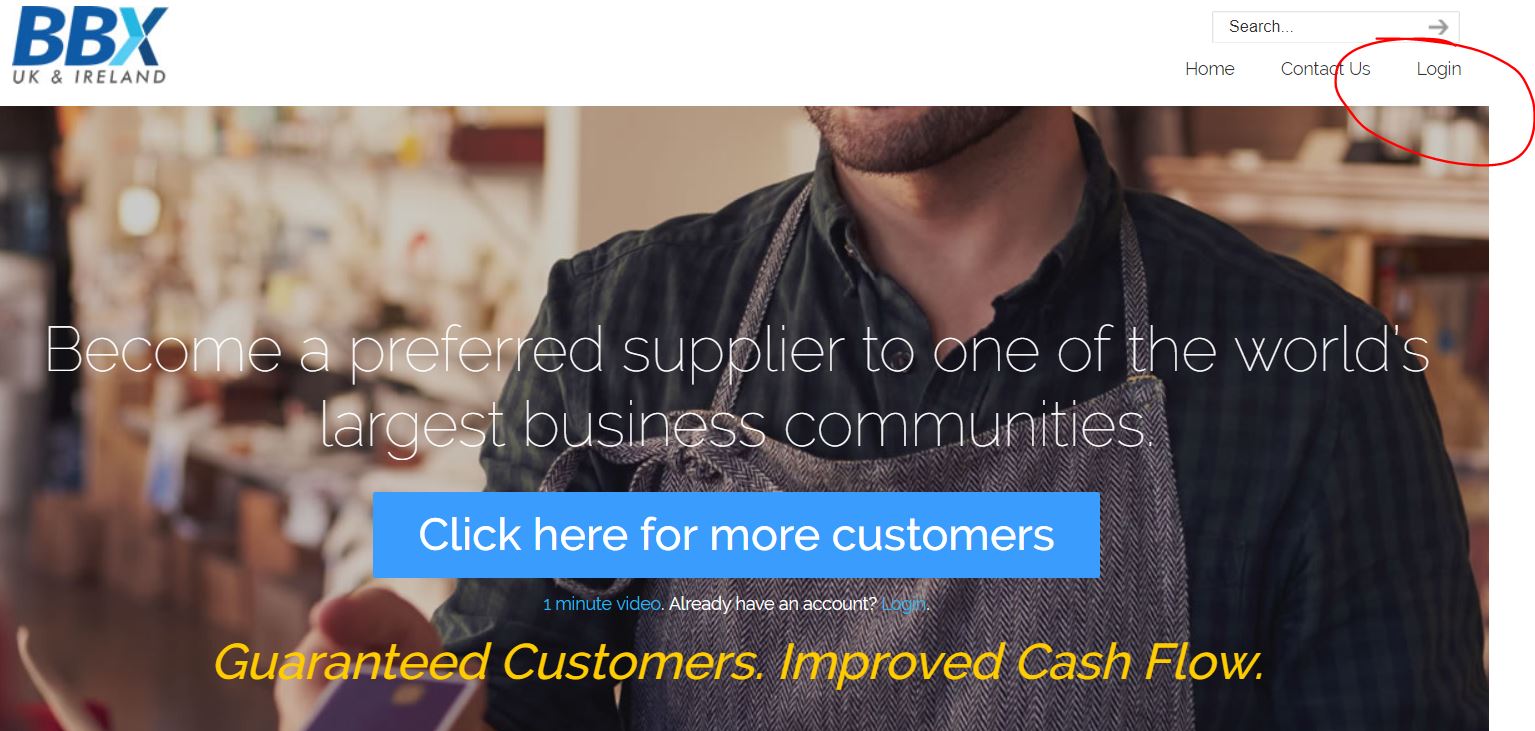
Step 1 – login
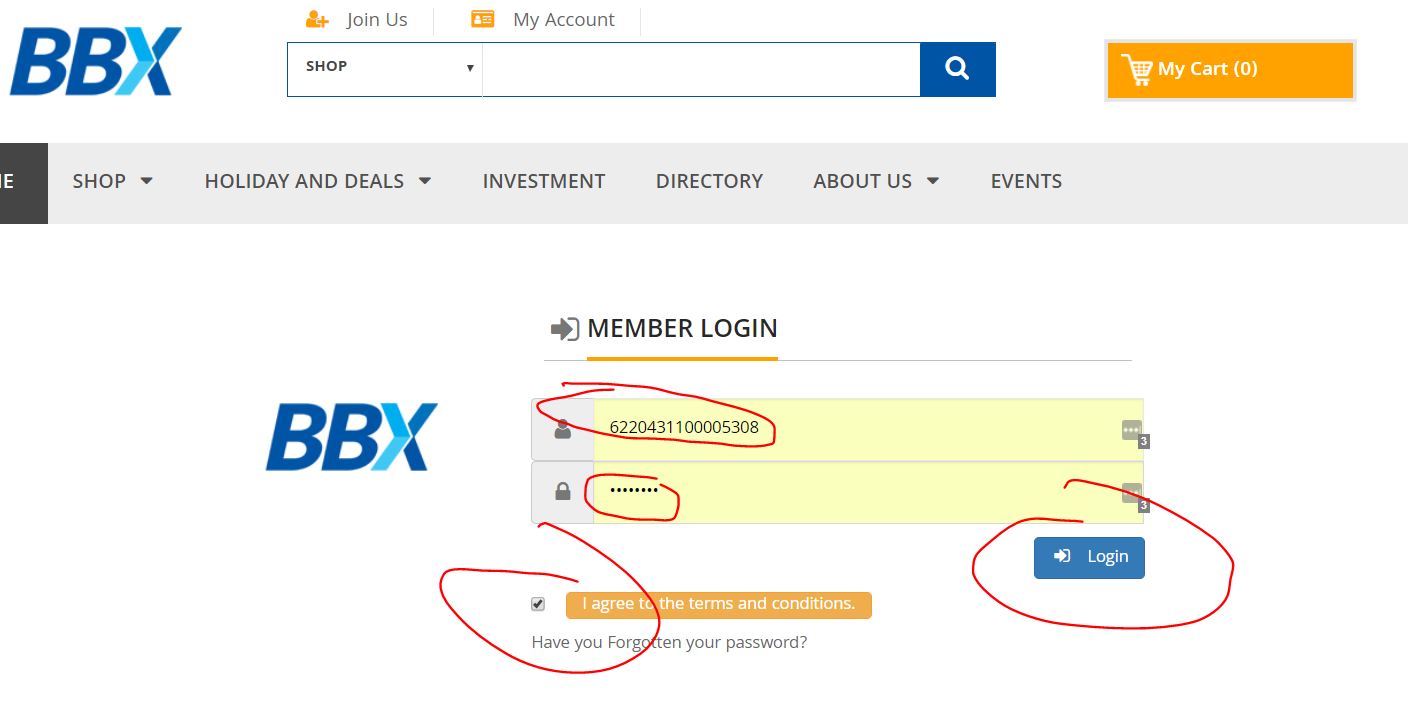
Step 2 – fill in your 16 digit account number and password
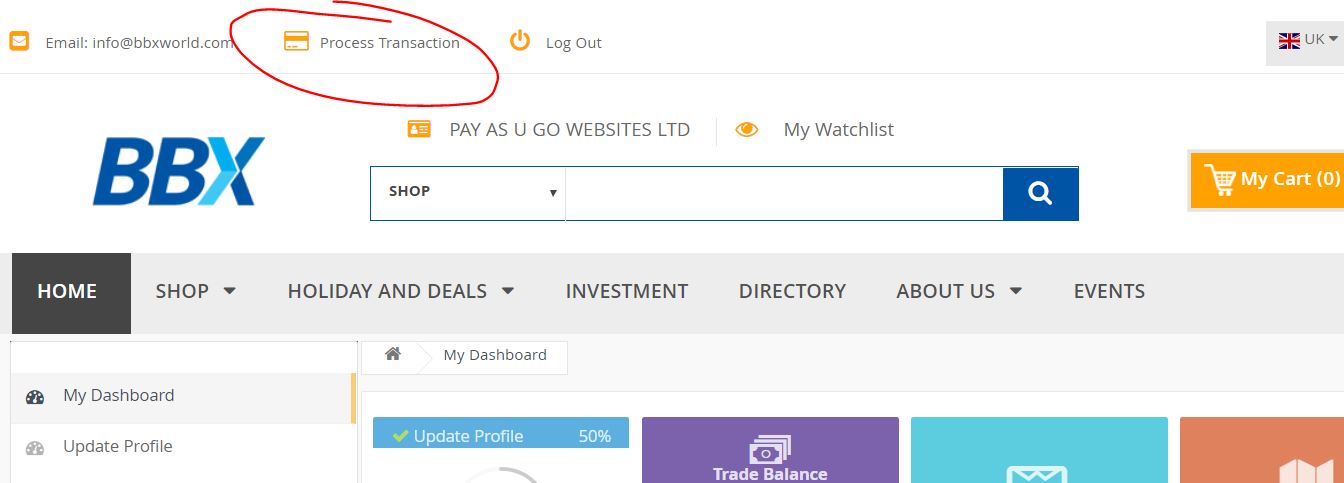
Step 3 – click on process transaction
Step 4 – follow the steps
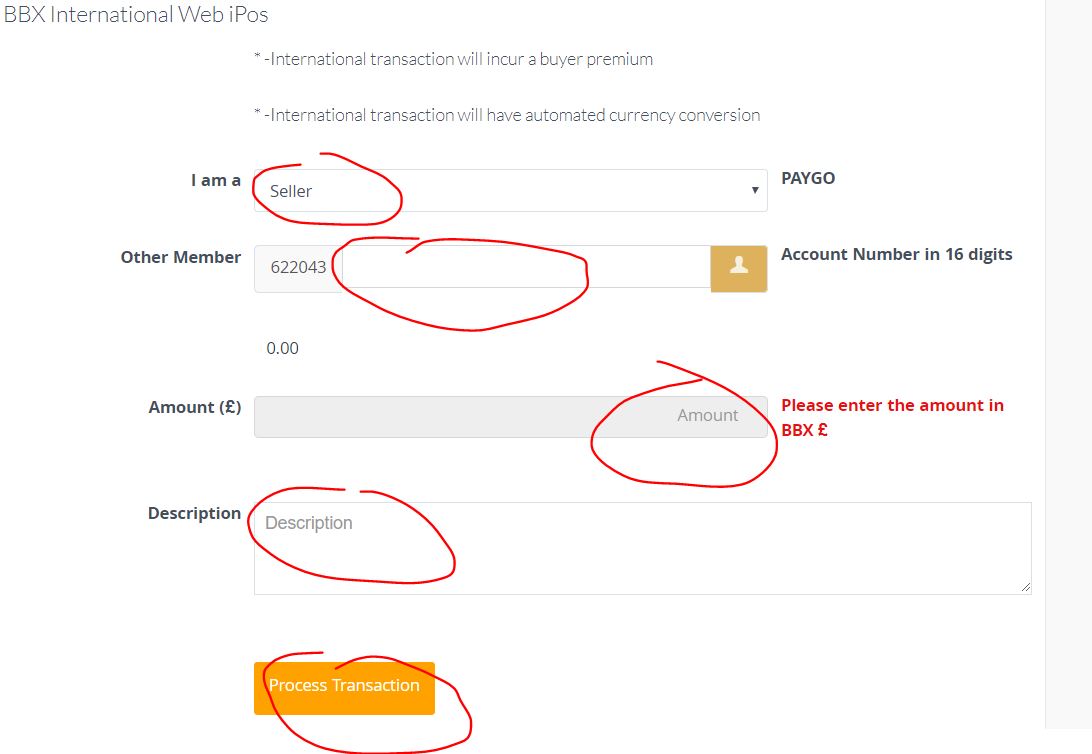
Simply enter:
- The BBX account number of your customer/supplier
- The amount of the transaction
- A description of what the transaction is for – i.e. Food & Drink (if you have raised an invoice for your customer for the transaction, it makes sense to enter the relevant invoice number)
Then click “Process Transaction”
The transaction should process immediately, and if successful will appear on your BBX statement.
If the transaction was not successful, contact your account manager.


